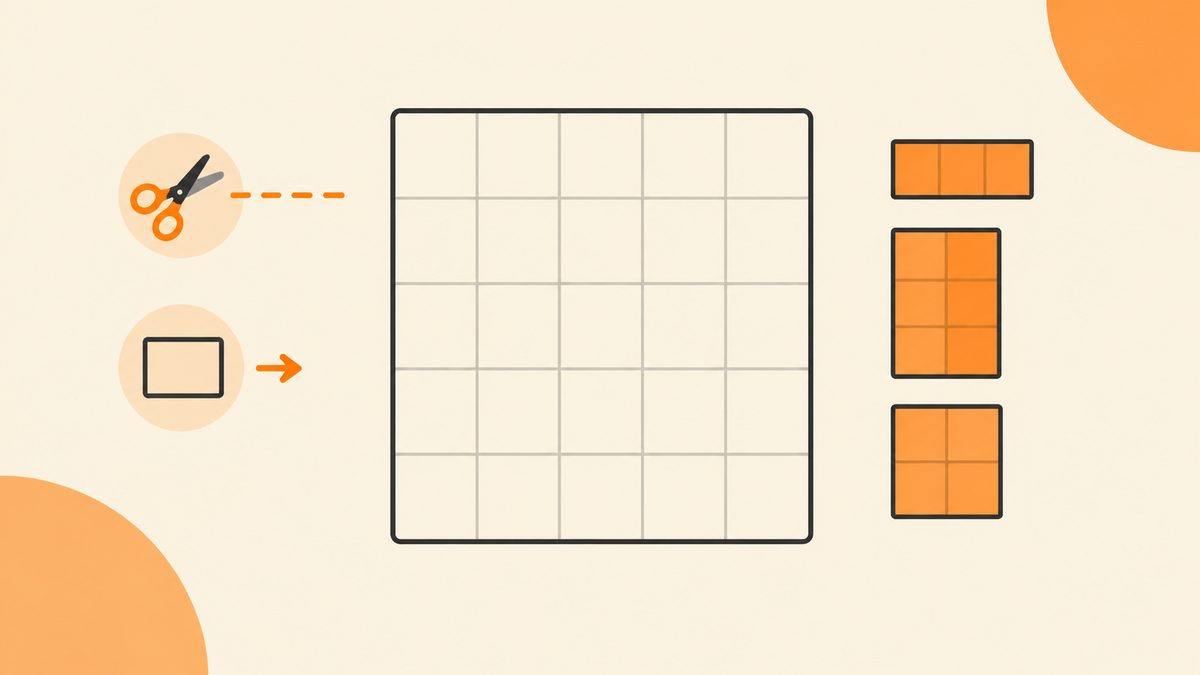
Patches gives you a grid and a handful of clues. Your job is to slice the whole board into rectangles, where every rectangle contains exactly one clue — and that clue's number is the rectangle's exact size.
If you've ever tiled a floor, this game will feel familiar. You're dividing a grid into rectangular patches so that nothing overlaps and nothing is left bare. Each patch gets one clue cell, and the clue tells you how big that patch has to be. There's nothing to add up and nothing to guess; once you read the clues right, the cuts draw themselves.
The hard part isn't drawing rectangles — it's drawing the right rectangles. This guide walks through a board from the first forced cut to the finished tiling, and shows you how the little shape badges rule options out before you waste a drag.
What Is Patches?
A Patches board is a grid with a few marked cells, each holding a clue. You split the entire grid into rectangles. No two rectangles may overlap, and no cell may be left uncovered. Each rectangle contains exactly one clue cell — never more, never fewer.
The clue's number is the area of its rectangle: how many cells it covers. A clue showing 4 means its patch covers four cells. A clue showing a question mark means the area is hidden, and you work it out from the cells left over. Along with the number, each clue carries a small shape badge that says whether the patch must be a square, wider than tall, taller than wide, or any rectangle at all.
Every daily board has one solution. It's free, no account, and resets at 00:00 UTC; Unlimited generates fresh boards whenever you want more.
How to Read a Clue
Every clue cell tells you three things. Learn to read them in order and the board stops being a blob of options.
- The number is the area. A 6 means the patch covers six cells. It doesn't say which six — just that the rectangle has to contain exactly that many.
- A "?" hides the area. You don't know the size up front. You figure it out by cutting everything else first; whatever cells remain belong to the question-mark patch.
- The shape badge narrows the proportions. A square badge means the patch is a square. A wide badge means it's wider than it is tall. A tall badge means it's taller than it is wide. An "any" badge means shape doesn't matter.
Walkthrough: Start With the Forced Cuts
The rule for where to begin is simple: find the clues that leave only one possible rectangle. Those are your anchor cuts. On this board, that's the clue showing 1 in the top-left corner.
Step 1 — Draw the single-cell and square clues first
A clue of 1 is the easiest cut on the board: a patch with area 1 can only be the clue cell itself. Drag from that corner to the opposite corner of the same cell and you've made your first patch. Right next to it, the clue 2 with a wide badge can only be a horizontal two-cell strip — there's no other rectangle of area 2 that's wider than it is tall. And the vertical clue 2 on the left edge, marked tall, has to be a one-wide, two-tall strip. Draw these three first; they're forced.
Step 2 — Expand into the open space
With those three patches placed, the clue showing 4 and marked square now has nowhere to go but the two-by-two block directly below the wide 2. A square of area 4 has to be 2 by 2, and the only free 2-by-2 in reach is right there. The big clue 9, marked square, is the three-by-three block sitting in the upper right — nine cells, and a square badge only fits 3 by 3. Draw both. The clue 6 across row three is a wide strip; with the squares above and below pinned, it's forced to run the full width of that row.
Step 3 — Let the leftovers define the "?"
Only the bottom two rows are left. The clue 6 on the right is wide, so it takes the bottom-right two-by-three block. Whatever cells remain on the bottom-left belong to the question-mark patch — count them and that's its area. The board tiles cleanly with no gaps and no overlaps.
Using the Shape Badges to Rule Shapes Out
The badge is where beginners lose time. A clue of 6 could be 1 by 6, 2 by 3, or 3 by 2 — three different rectangles. The badge cuts that list down. A wide badge on the 6 rules out the tall options, leaving only the horizontal shapes. A tall badge does the opposite. A square badge means you only consider rectangles where both sides are equal, so a clue of 9 has to be 3 by 3, and a clue of 4 has to be 2 by 2.
Get in the habit of checking the badge before you drag. It's a one-second move that stops you from drawing a rectangle you'll only have to erase.
When two options survive the badge, fall back on cell counts. A wide 6 can be 1-by-6 or 2-by-3, but if the row above and below that region are already tiled, a 1-by-6 strip may not even fit the remaining space. The grid itself rules out the options that the badge leaves open. You're narrowing a short list, not guessing.
One last check before you call a board done: count the cells. Add up every clue's area and it should equal the total number of cells on the grid. If it doesn't, either a patch overlapped or a region is still floating. The sum check is the fastest way to catch a bad cut.
The Controls
Drawing a patch is a corner-to-corner drag: start on one corner of the rectangle you want and drag to the opposite corner. The preview shows the patch as you go. If you draw the wrong one, tap the rectangle to remove it and start that cut again. There's no need to undo a whole chain — each patch is its own object.
Common Mistakes
Drawing rectangles before reading the clues
Dragging a big rectangle early feels productive, but it usually swallows a neighboring clue. Always place the forced small patches first and let the big ones get defined by what's left.
Forgetting each patch holds exactly one clue
It's easy to draw a rectangle that sweeps up two clue cells, or leaves a clue floating outside every patch. The board is only solved when every clue sits inside exactly one rectangle and no rectangle holds two.
Ignoring the "?"
The question mark isn't a puzzle to solve in isolation. It's the leftovers. Cut everything with a known area first, and the "?" patch becomes whatever cells remain.
FAQ
What does the number inside a clue mean?
It's the area of that clue's rectangle — how many cells the patch covers. A 6 means a six-cell rectangle.
What does the "?" clue mean?
Its area is hidden. You don't know the size up front; you work it out from the cells left over after all the numbered patches are drawn.
What's the small shape badge for?
It narrows the rectangle's proportions: square, wide, tall, or any. A square badge on a 9 means 3 by 3; a wide badge on a 6 rules out the tall shapes.
How do I draw and remove a patch?
Drag from one corner of the rectangle to the opposite corner. Tap the rectangle to remove it and try again.
Can patches overlap or leave gaps?
No. The whole grid must be covered with no overlaps and no empty cells. The board is only solved when it's fully tiled.
Is Patches free?
Yes. No account, no install. One daily board resets at 00:00 UTC, and Unlimited generates fresh ones on demand.
Play Patches
Free, no account · a new daily puzzle every day.